Search..
Infotainment
Introducllon
Using Alexa
Vehlcle Overvlew
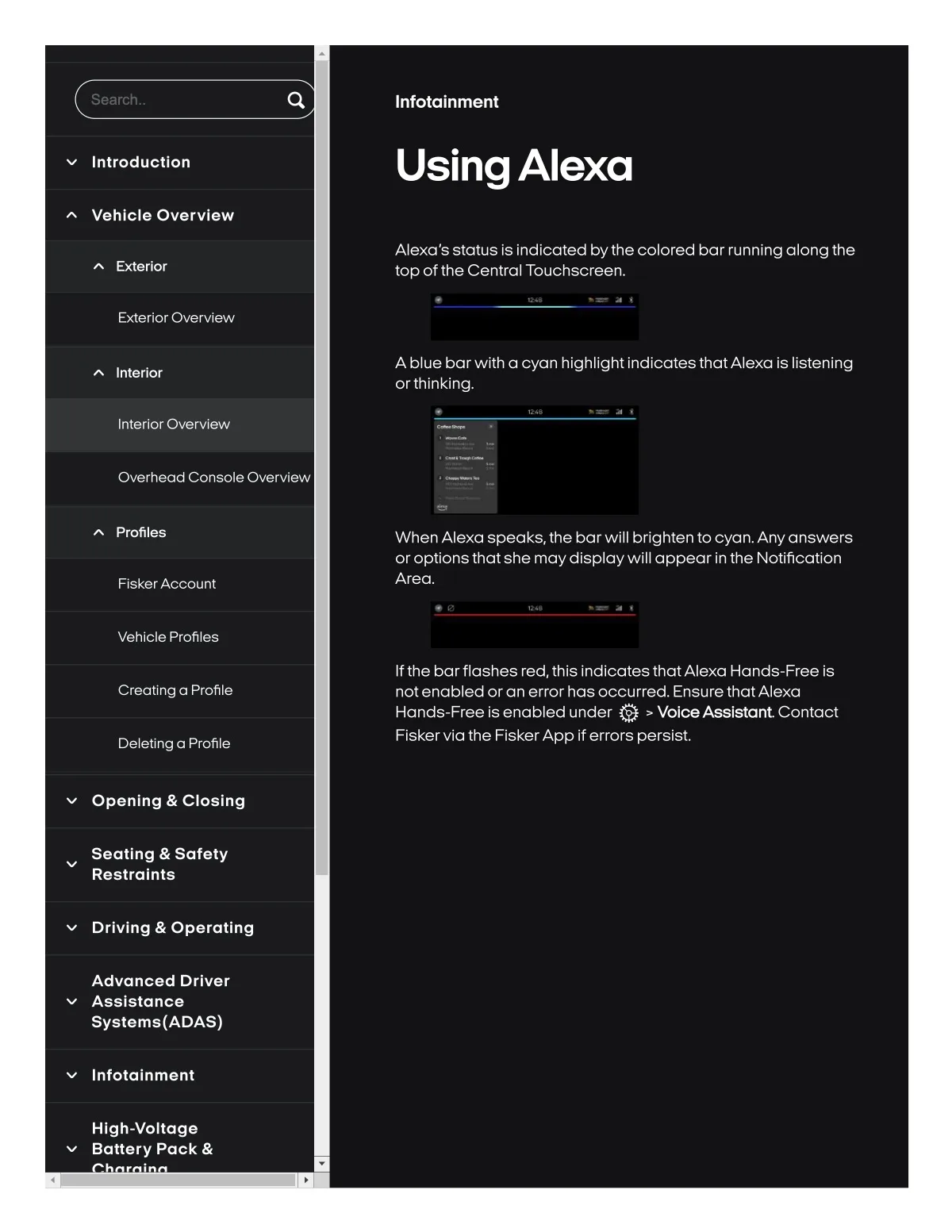
Alexa's status is indicated bythe colored bar running along the
top ofthe Central Touchscreen.
Exterlor
Exterior Overview
Inlerlor
A blue barwlth a cyan hlghllght IndlcatesthatAlexo Is Ilstenlng
or thlnklng.
Interlor Overvlew
Overhead Console Overvlew
Profiles
When Alexa speaks,the bar will brighten to cyan. Anyanswers
or optionsthat she maydisplaywill appear in the Notification
Area.
Flsk8rAccount
Vehlcle Profiles
If the barflashes red, thls IndlcatesthatAlexa Hands-Free Is
not enabled oran error hasoccurred. EnsurethatAlexa
Hands-Free is 8nab18d under Q > VolceA8818tant Contact
Flskervla the FiskerApp if errors persist.
CrealSng a Profile
Deletlng a Profile
Openlng & CIo8lng
Seatlng & Safety
Restralnts
Drlvlng & Operatlng
Advanced Drlver
Asslstance
Systams{ADAS)
Infolalnment
Hlgh-voltage
Baltery Pack &