Search..
Driving & Operating
Introducllon
Exterior Lights Controls
Vehlcle Overvlew
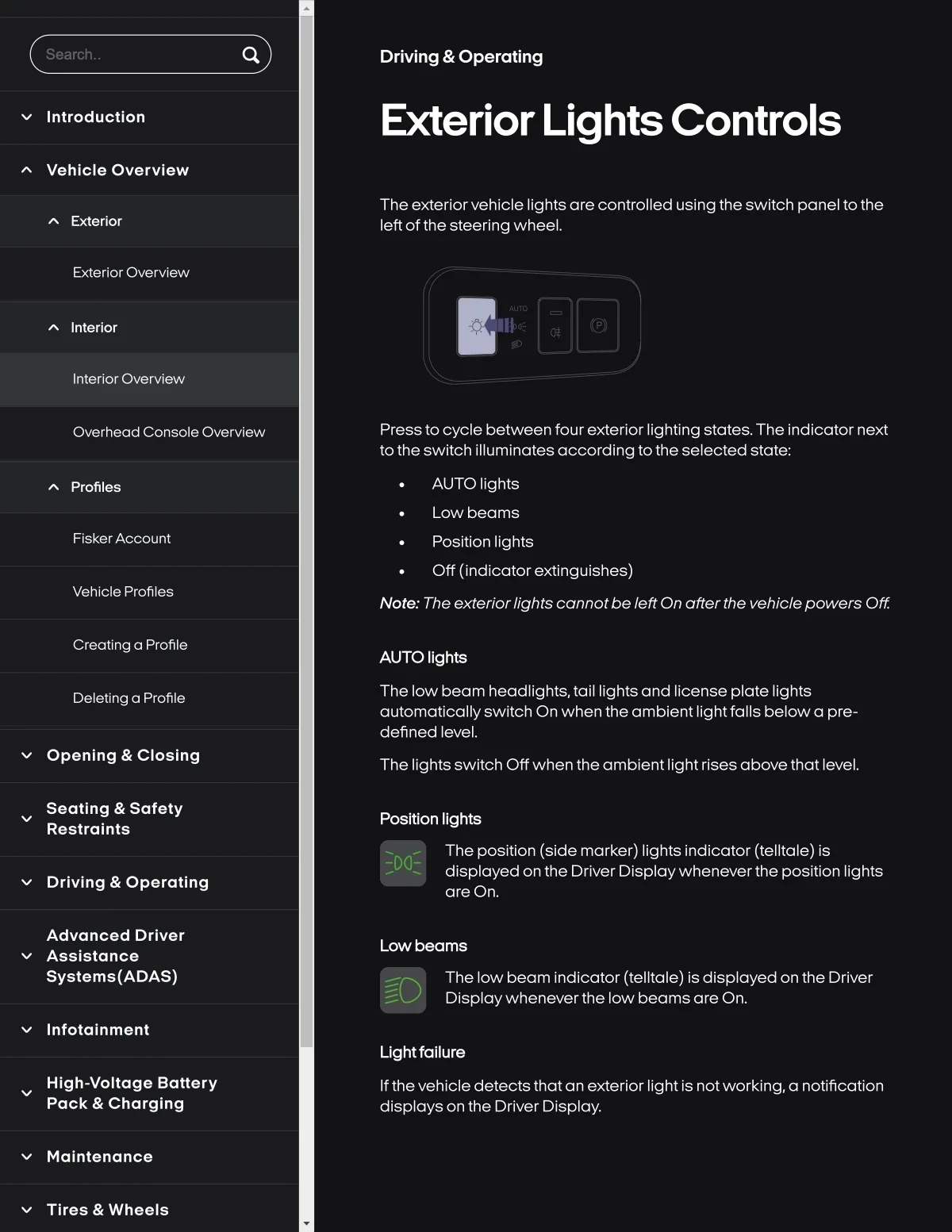
The exteriorvehicle lights are controlled using the switch panel to the
left of the steering wheel.
Exterlor
Exterior Overview
AUTO
Inlerfor
Interlor Overvlew
Overhead Console Overvlew
Presstocycle between four exterior lighting states. The indicator next
to the switch illuminates according tothe selected state..
Profiles
AUTO Ilghts
Low beams
Flsker Account
Position Ilghts
Off {Indlcatorextlnguishes)
Vehlcle Profiles
Note.. The exterior lights cannotbe left On afterthe vehiclepowers Off
Cr8otSng a Profile
AUTO Ilghts
DeletSng a Profile
The low beam headllghts, tall Ilghts and Ilcense plate lights
automatlcally swltch On when the amblent Ilghtfalls belowa pre-
defined level.
Opanlng & Closlng
The Ilghts swltch Off when the amblent Ilght rlses above that level.
Seatlng & Safaty
Reslralnts
Posltlon Ilghts
The position (side marker) lights indicator (telltale) is
displayed on the Driver Displaywheneverthe position lights
are On.
Drlvlng & Operatlng
Advanced Drlver
Asslstance
Syslems{ADAS)
Low beams
The low beam indicator (telltale) is displayed on the Driver
Displaywheneverthe low beams are On.
Infolalnment
Llghtfallure
High-voltage Battery
Pack & Charging
Ifthevehicle detects thatan exterior light is notworking,a notification
dlsplays on the Drlver Dlsplay.
Maintenance
Tlres & Wheels