Search..
Infotainment
Introducllon
Using Alexa
Vehlcle Overvlew
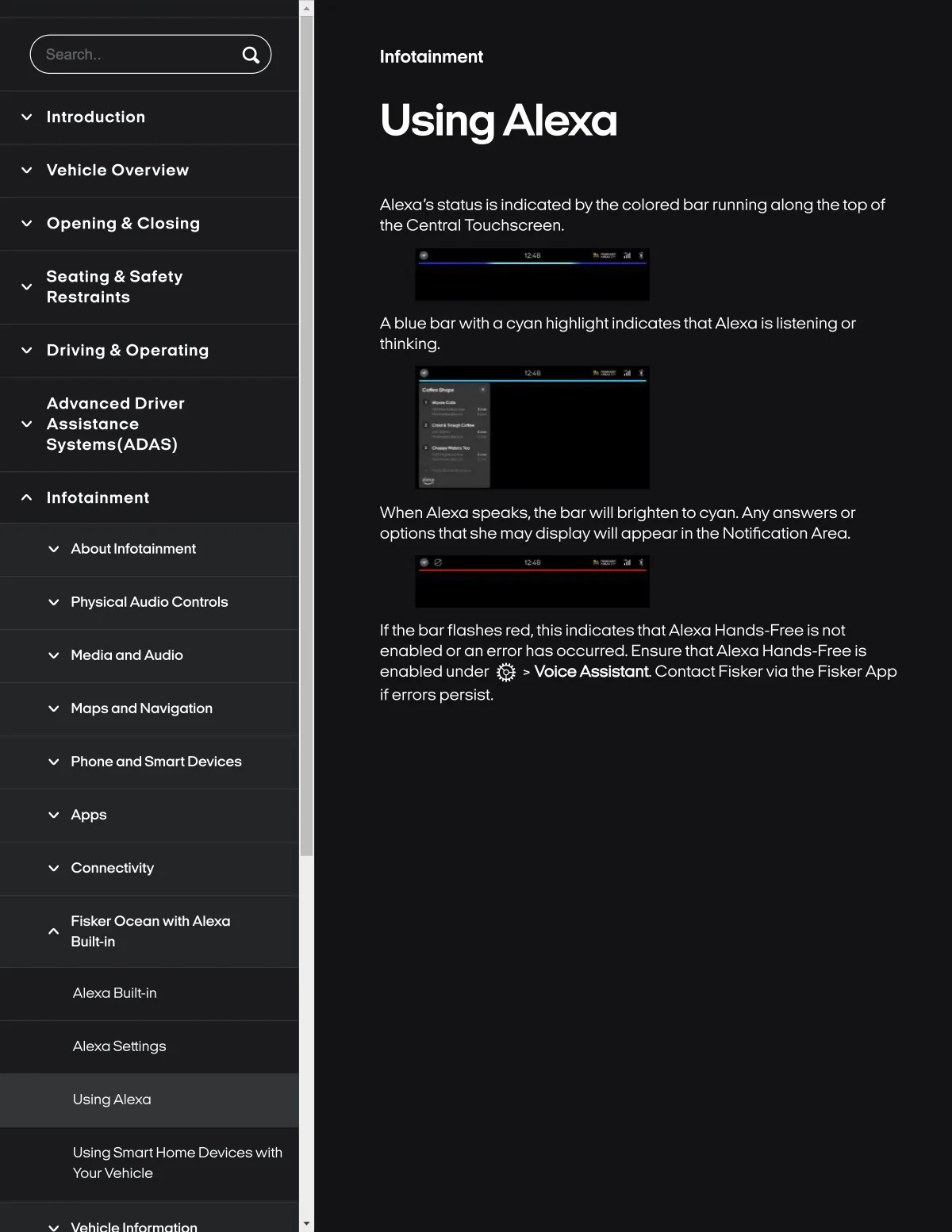
Alexa's status is indicated bythecolored bar running along thetop of
the Central Touchscreen.
Openlng & Closlng
Seatlng & Safety
Reslralnts
A blue barwith a cyan hlghlight IndicatesthatAlexa Is listenlng or
thlnklng.
Drlvlng & Oparatlng
Advancèd Drlvar
Asslstance
Syslems{ADAS)
Infolalnment
When Alexa speaks, the barwlll brighten to cyan.Anyanswers or
optlons that she maydlsplaywlll appear In the Notlficatlon Area.
About InfotaSnment
Physlcal Audlo Controls
Ifth8 barflashes red,thls indlcat8S thatA18xa Hands-Fr88 Is not
enabled or an error has occurred. Ensure thatAlexa Hands-Free Is
enabled under Q > VolceAsslstant Contact Fiskervla the FiskerApp
If errors persist,
Medla and Audlo
Maps and Navlgatlon
Phone and Smart Devlce8
Apps
Connectlvlty
Flsker Ocean wlth Alexa
Bullt-ln
Alexa Buili-in
Alexa Settings
UsingAlexa
Using Smart Home Devlces wlth
Your Vehicle