Driving & Operating
Search..
Introductlon
Selecting a Gear
Vehlcle Overvlew
Exterfor
Extgriorovervigw
Inlerfor
ToshiftoutofPIParkl,the brakepedal mustbe pressed.
Interlorovervlew
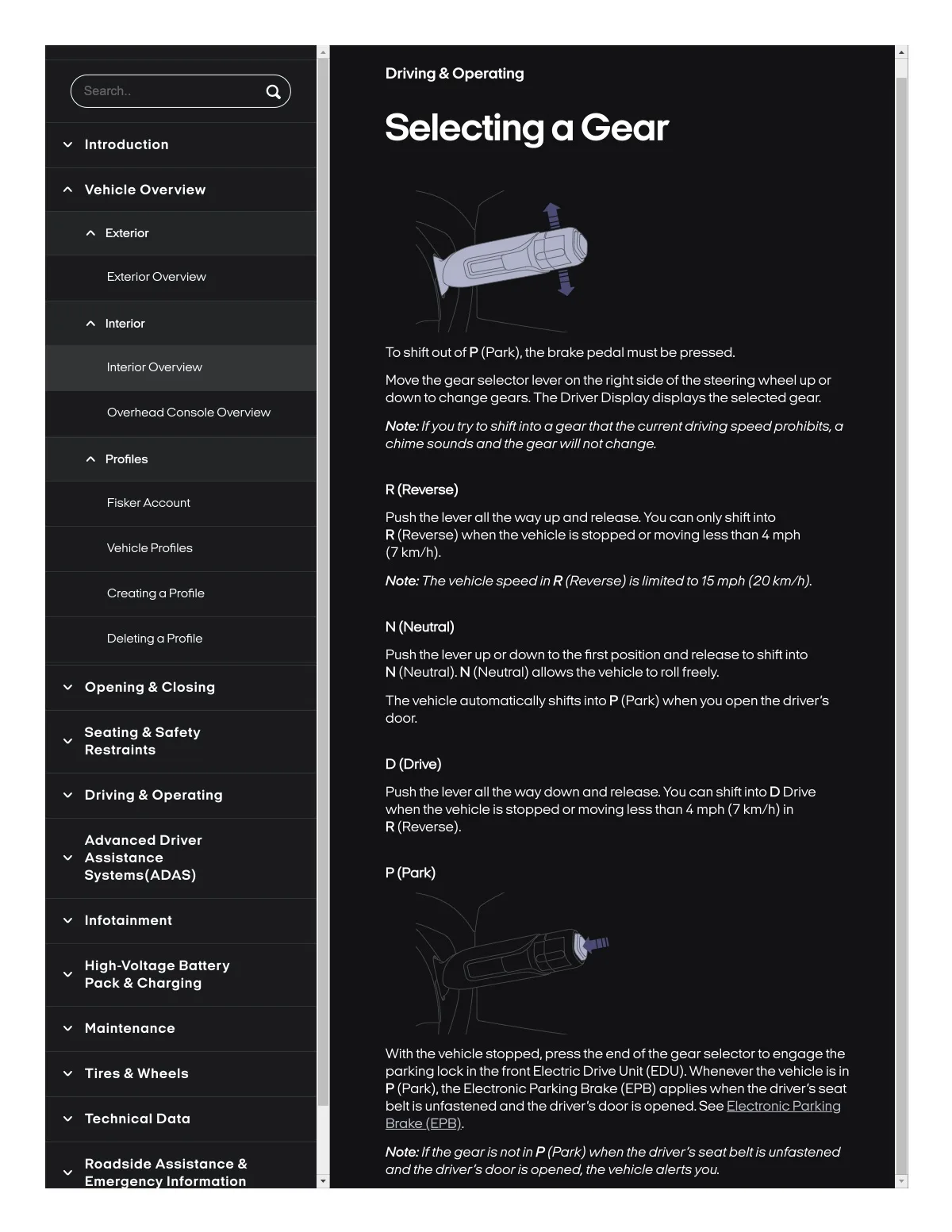
Move the gear selector leveron the rightside of the steerlng wheel up or
down lo change gears.The Driver Display displays the selected gear.
Overhead Console Overvlew
Note.. Ifyou tryto shlftlnto a gearthatthe currentdrlvlng speedprohlblt& a
chime sounds andthe gearwlllnotchange.
Profil96
R (Reverse)
Flsker Account
Push the lever all the way up and release. You can only shlft Into
R (Reverse) when the vehlcle Ss Stopped or movSng les8than 4 mph
17 kmlh).
Vehlcle Profiles
Note.. The vehlclespeedln R (Reverse) Isllmll8dto 75mph (20km/h).
Creatlng a Profile
Deletlng o Profile
N (Neutral)
Push the lev8r up or down to the first posltlon and releaseto Shlft Into
N {Neulrall. N (Neutrall allows th8vehlcle to roll freety.
Openlng & Closlng
The vehlcle automallcally 8hlfts Into P {Park} when you op8n the drlver 8
door.
Seatlng & Safety
Re8tralnts
D (Drlve)
Push the lever all the way down and release. You can shift into D Drlve
when thevehlcle 18 slopped or moving le88 than 4 mph17 km/h} in
R (Reversel.
Drlvlng & Operatlng
Advanced Drlver
Asslstance
Systems(ADASI
P (Park)
Infotalnment
Hlgh-voltage Battery
Pack & Charglng
Malntenance
With thevehicle stopped, pressthe end of the gearselectorto engage the
parking lock in thefront Electric Drive Unit IEDUI. Wheneverthe vehicle is in
P {Parkl. the Electronic Parking Brake IEPBI applies when the driver's seat
belt is unfastened and the driver s door is opened. See Electronic Parking
Brake
Tlres & Wheels
Technlcal Data
Roadside Assistance &
Emer
Information
Not&. If the gearisnotin P (Park) when the driversseatbeltis unfastened
and the drivers dooris opened. the vehicle alertsyou.
enc